
What is two-factor authentication (2FA) and why is it worth using?
What is 2FA?
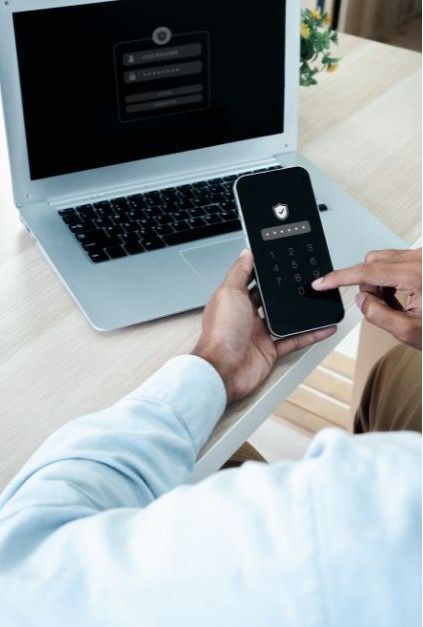
Two-factor authentication (2FA) is a method of securing accounts that requires the use of two independent factors when logging in. These are usually:
- A password – something you know.
- An additional factor – something you have (e.g. an SMS code, an authentication app, a hardware key).
This means that even if your password is compromised, it will be impossible to access your account without the second authentication factor.
Why should you use 2FA?
- Better account protection – an extra layer of security significantly reduces the risk of unauthorised access.
- Protection against phishing and cyberattacks – hackers often try to steal passwords, but a code from an app or a security key prevents them from logging in.
- Greater control over access – 2FA systems often send notifications about login attempts, allowing you to respond quickly to threats.
- Standard practice in banking and critical services – an increasing number of financial institutions and online services require 2FA to be enabled.
- Security for online shopping – 2FA provides additional protection for transactions and reduces the risk of fraud.
What are the different 2FA methods?
- SMS code – easy and popular, but vulnerable to SIM-swap attacks.
- Authentication app (e.g. Google Authenticator, Microsoft Authenticator) – more secure than SMS, works independently of the network.
- U2F/FIDO2 hardware keys (e.g. YubiKey) – the most secure solution, eliminating the risk of phishing.
U2F keys – why are they the best choice?
- The highest level of protection – they only work on genuine websites.
- Speed and convenience – just a single tap of the key is all it takes, with no need to copy codes.
- Uniqueness – a hardware key cannot be copied or stolen digitally.
Where can you enable 2FA and U2F keys?
2FA is supported by the most popular services, including Google, Facebook, Instagram, X (Twitter), Microsoft, Apple, PayPal, Dropbox, Amazon, GitHub, as well as most online banks.
Simply look for the ‘Two-step verification’ or ‘Two-factor authentication’ option in your account settings and follow the instructions.
Basic security guidelines for 2FA
- Enable 2FA on all your most important accounts (email, online banking, social media).
- Opt for authentication apps rather than text messages.
- Save your backup codes – they’ll help if you lose your phone.
- Do not share your authorisation codes with anyone.
- Consider having a spare U2F key.
Summary
Two-factor authentication is one of the simplest and most effective ways to protect your data online. Setting up 2FA takes just a few minutes and can save you from serious financial loss or identity theft.
Author: Szymon Kwaśniewski